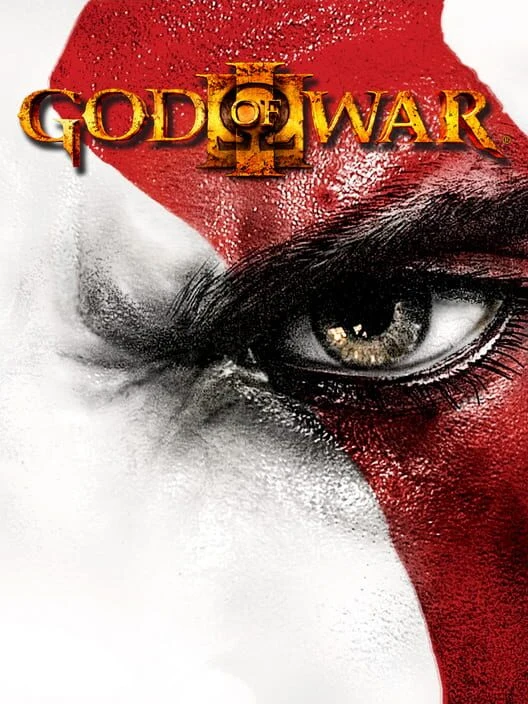
God of War III Remastered for PC
A PC port of God of War III Remastered (PlayStation 4) for Windows 10 and 11.
 View full image
Cover image1 / 1
Player discoveries. Endless possibilities.
God of War III Mods
Set in the realm of brutal Greek mythology, God of War III is a single-player game that allows players to take on the climatic role of the ex-Spartan warrior, Krato…
A PC port of God of War III Remastered (PlayStation 4) for Windows 10 and 11.
View full image
A PC port of God of War III Remastered (PlayStation 4) for Windows 10 and 11.
What works Opening, menus, video cutscenes (H.264) and gameplay. Audio: music, voices and effects (ATRAC9 and MP3). Controller (DualSense, Xbox and others, through SDL3) and keyboard at the same time, both remappable. Saving and loading: the save list is shown on screen, as on the PS4. Autosave works too. The launcher backs the saves up before every start. Patches: render resolution of 480p, 720p, 1440p, 1800p or 4K, corrupted texture fix and skip videos with the X button (community); engine frame rate of 120 FPS (kvicken) or 240 FPS (adapted by Felipe Prado). Instant start: the saved shader cache loads in the background while you play, and new shaders compile in the background too, so the game does not stop to build them. Launcher in the game's colors, in English with partial translations: quick settings on the home page, display, performance, game folder and save backups, patches, mods (order, presets and conflicts), controls with PlayStation or Xbox button icons, updates and diagnostics. In-game menu (Insert on the keyboard, R3+L2 on the controller), with four tabs: Game: cheats (infinite health, magic, item meter, Rage of Sparta, max red orbs); multipliers from 0.1x to 100x for red, green (health), blue (magic) and gold (Rage of Sparta) orbs and for damage dealt and taken; an enemy health bar. Image: display mode (windowed, borderless, fullscreen), VSync, FSR 1 upscaling and RCAS sharpening. Performance: frame rate limit (30 to unlimited), frames queued, background shader compiling; render resolution, engine frame rate and GPU readback options apply with one "Apply and restart" button. Overlay: a performance overlay with FPS, frametime, upscaler, GPU (name and use), CPU, RAM and VRAM, each optional, with font size, corner, background opacity and layout. The numbers are the game's own use, not the whole system's. Download and play You need
Windows 10 (1903 or newer) or Windows 11, 64-bit. A graphics card with Vulkan 1.3 and an up-to-date driver. Your own copy of God of War III Remastered: CUSA01623 with the 01.02 update, as a folder that contains eboot.bin, sce_module and sce_sys. No game files are included in this download. Steps
Download gow3-windows.zip from the Releases page. Extract it to a folder of your choice, for example C:\Games\gow3-windows. Do not run it from inside the zip. Open God of War III.exe. If Windows shows "Windows protected your PC", click More info, then Run anyway: the program is not digitally signed. Click Choose the game folder. It takes you to the Game page. Next to Game folder, click Browse… and select the folder with eboot.bin. Back on Home, the cover art and "CUSA01623 · version 01.02" appear. Adjust Quick settings if you like: display mode, frame rate limit, render resolution and engine frame rate. Click PLAY. The first start takes a little longer while the game image is prepared. The next starts are quick. Patches and fixes are included and applied automatically: texture fix, skip videos with X and 120 FPS are on by default. Change the resolution and frame rate on Home or Performance.
While playing
Insert on the keyboard, or R3 + L2 on the controller, opens the port's menu: cheats, multipliers, image, performance and the performance overlay. Saved shaders load in the background. A small "Loading shader cache" note in the corner shows the progress. Next time
Play God of War III.exe starts the game straight away with your saved settings. You can make a desktop shortcut to it, or add it to Steam with Add a Non-Steam Game. Your saves, shader cache and log are in the user folder next to God of War III.exe. Keep that folder when you update. Advanced → Check for updates downloads and installs a new version. Your saves and settings are kept. If something goes wrong
Black screen at start: Advanced → Clear shader cache, then start again. The game does not open: check the Log page, or send user\last_run.log with your report. Requirements Windows 10 (1903 or newer) or Windows 11, 64-bit. A graphics card with Vulkan 1.3 and a current driver. Your copy of the game: CUSA01623 with the 01.02 update applied (the folder with eboot.bin, sce_module and sce_sys). The patches are applied only to the eboot.bin they were checked against byte by byte (sha256 d85c8135d330c3b601bf5dc3f1dd86bd6119fb8a9fce372bed2c9785f9a79299), and the in-game hooks (cheats, multipliers, health bar) only where the code they change has the expected bytes. Otherwise the game starts without them, and the log and the menu say why. To build from source: MSYS2 and Python 3 with Pillow (pip install pillow, used for the game's icon and cover art).
Mod comments 0
Share compatibility notes, setup help, and useful feedback with other players.
Start with a useful setup note, compatibility result, or question.