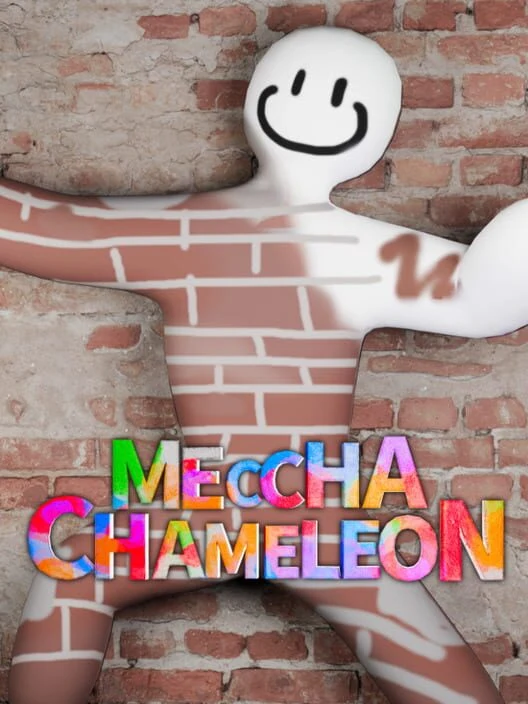
Thinner Chameleon
Thinner Chameleon — Flattened Hider - V2.50 Compatible
Squish your paintman
■ Client-side pak ■ All players must install ■ x1.0 scale only ■ No dependencies
Overview
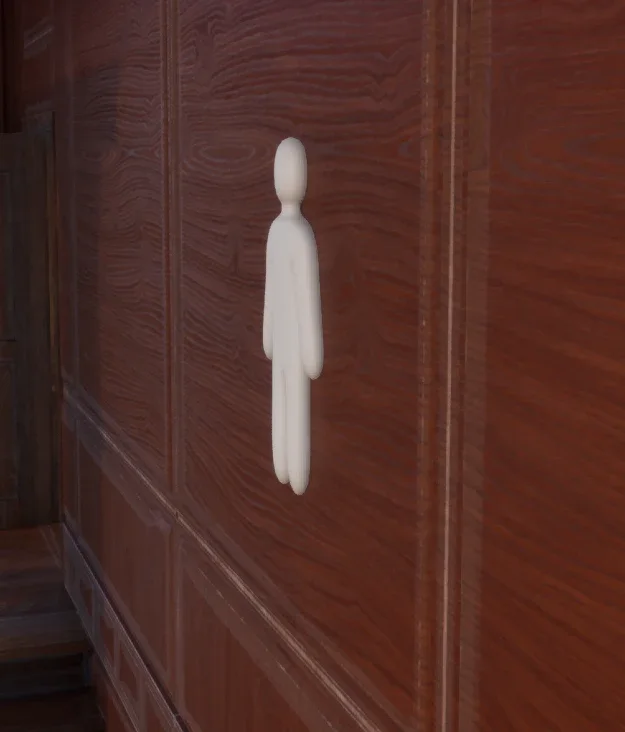
Visual: Replaces the paintman SkeletalMesh with a version scaled to 40% on the front-to-back (depth) axis. Width and height are completely untouched. The squish is baked into the mesh vertices directly — not a runtime scale.
Collision: Shrinks the survivor's body capsule radius to 1.5 (down from ~25 on the standing class / ~5.1 in-match).
Character: Paintman only. Does not work with Cubeman or any scale modifier. Requires x1.0 scale.
Requirements
MECCHA CHAMELEON (Steam) — current build 1.9.0, June 2026 · Unreal Engine 5.6
Nothing else. No script extender, no UE4SS, no extra dependencies — one pak, drop in, done.
Installation (manual)
Navigate to your game's Paks folder:
...\steamapps\common\MECCHA CHAMELEON\Chameleon\Content\Paks\
Copy all three files from the archive into that folder:
Chameleon-Windows_P.pak
Chameleon-Windows_P.ucas
Chameleon-Windows_P.utoc
Launch the game. Done.
The _P suffix tells the game to load this as a higher-priority patch over the originals.
Uninstallation
Delete the three Chameleon-Windows_P.* files from the Paks folder. Fully reversible with no leftover files.
Multiplayer
This is a drop-in pak each player installs individually. The flattened look is rendered locally, and the collision change is a baked asset value.
For the whole lobby to both see the flat silhouette and have it press into walls consistently, everyone — including the host — needs the same three files installed. Wall-blocking physics are decided by the session host, so if you want wall-hugging to behave correctly for all players, make sure the host has it too.
Known Issues
Laying Down emote — the character floats slightly above the ground, leaving a visible gap between the flat body and the floor. Cosmetic only.
Wall phasing — the reduced capsule radius makes it possible to accidentally clip through thin walls in some spots.
Credits & Tools
Built by directly editing cooked assets — scaling vertex positions in the paintman SkeletalMesh and shrinking the cooked BodyCapsule radius in the survivor Blueprint — then repacking as an IoStore patch container. No game files are modified or redistributed.
retoc (trumank) — IoStore ↔ legacy conversion and repacking
FModel / CUE4Parse — asset inspection and export
UE4SS — generated .usmap mappings (dev-side only; not required to run the mod)
Disclaimer
Intended for private lobbies with friends. Using this in public lobbies is a disadvantage to players who have installed it. Provided as-is for fun.
Squish your paintman
■ Client-side pak ■ All players must install ■ x1.0 scale only ■ No dependencies
Overview
Visual: Replaces the paintman SkeletalMesh with a version scaled to 40% on the front-to-back (depth) axis. Width and height are completely untouched. The squish is baked into the mesh vertices directly — not a runtime scale.
Collision: Shrinks the survivor's body capsule radius to 1.5 (down from ~25 on the standing class / ~5.1 in-match).
Character: Paintman only. Does not work with Cubeman or any scale modifier. Requires x1.0 scale.
Requirements
MECCHA CHAMELEON (Steam) — current build 1.9.0, June 2026 · Unreal Engine 5.6
Nothing else. No script extender, no UE4SS, no extra dependencies — one pak, drop in, done.
Installation (manual)
Navigate to your game's Paks folder:
...\steamapps\common\MECCHA CHAMELEON\Chameleon\Content\Paks\
Copy all three files from the archive into that folder:
Chameleon-Windows_P.pak
Chameleon-Windows_P.ucas
Chameleon-Windows_P.utoc
Launch the game. Done.
The _P suffix tells the game to load this as a higher-priority patch over the originals.
Uninstallation
Delete the three Chameleon-Windows_P.* files from the Paks folder. Fully reversible with no leftover files.
Multiplayer
This is a drop-in pak each player installs individually. The flattened look is rendered locally, and the collision change is a baked asset value.
For the whole lobby to both see the flat silhouette and have it press into walls consistently, everyone — including the host — needs the same three files installed. Wall-blocking physics are decided by the session host, so if you want wall-hugging to behave correctly for all players, make sure the host has it too.
Known Issues
Laying Down emote — the character floats slightly above the ground, leaving a visible gap between the flat body and the floor. Cosmetic only.
Wall phasing — the reduced capsule radius makes it possible to accidentally clip through thin walls in some spots.
Credits & Tools
Built by directly editing cooked assets — scaling vertex positions in the paintman SkeletalMesh and shrinking the cooked BodyCapsule radius in the survivor Blueprint — then repacking as an IoStore patch container. No game files are modified or redistributed.
retoc (trumank) — IoStore ↔ legacy conversion and repacking
FModel / CUE4Parse — asset inspection and export
UE4SS — generated .usmap mappings (dev-side only; not required to run the mod)
Disclaimer
Intended for private lobbies with friends. Using this in public lobbies is a disadvantage to players who have installed it. Provided as-is for fun.
0 downloads
Sign in to download
