GlitchMod tutorials
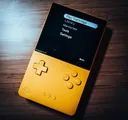
Analogue Pocket modding wiki
Pocket firmware, openFPGA core installation, microSD structure, Memories and ordinary saves, cartridge adapters, Dock compatibility and development.
Browse topics
Tutorials & referenceAnalogue Pocket modding and preservation wiki
Analogue Pocket combines original cartridge use with documented openFPGA development. Start here for firmware and core setup, microSD organization, ordinary saves and Memories, cartridge adapters, Dock checks and the official core-development workflow.
Start with a practical guide
- Firmware and openFPGA setup
Update Pocket through the official microSD procedure, install a documented core package and verify the difference between firmware, cores and game assets.
- Saves and storage preservation
Preserve the complete Pocket card layout, distinguish ordinary saves from Memories and test updates with copies of important progress.
- Cartridges, Dock and development
Check Pocket cartridge adapters and Dock behavior, then start openFPGA development with the official template, toolchain and packaging documentation.
Working record
Keep the exact hardware model, installed software, tested accessories and backup date together. Record the last working setup before a change and verify important saves after maintenance.
Document the complete configuration
Record Analogue OS firmware, the installed core author and release, the game or cartridge and any accessory involved. These are independent parts of the setup. A report that only names Pocket cannot establish whether a problem belongs to cartridge use, one core, the card layout or Dock input.
Keep firmware files and core packages in separate dated folders on the computer. Retain each maintainer's readme and the actual release used. Core installation and firmware installation follow different procedures, and the relevant instructions should remain available when you need to reproduce or restore a working setup.
Build a clean first installation
The setup guide connects Analogue's firmware update procedure to a one-core test. Inspect a release archive before merging it into a card and preserve existing personal files. Provide the assets that the selected core requests in its documented format and location. Do not infer requirements from an unrelated core for the same platform.
Test startup, controls, audio, persistent progress and exit behavior before expanding the library. Record unsupported or uncertain features. Memories, sleep, clock behavior and unusual peripheral support need evidence from the actual core and release. A capability available elsewhere on the device is not automatically implemented by every developer.
Protect saves before organizing storage
Make a dated copy of the full card before a large update or reorganization. Keep relative paths and file identities intact. Locate the ordinary save and snapshot folders used by the current setup, and preserve the producing core release. Test a restore with a disposable checkpoint so a missing save is discovered before important progress is overwritten.
A card backup preserves files present on that card. Identify a separate documented preservation method for a cartridge's own memory when needed. Keep original dumps or downloads unchanged, record conversions and retain a second backup away from the working computer. File existence alone does not prove a recoverable playing session.
Treat accessories and development as specific workflows
The accessory guide covers official cartridge adapters, Dock records and controller diagnosis. Test a minimal connection and change one component at a time. Match an adapter to its intended cartridge system and consult its handling guide before insertion or removal.
For core development, use the official template, toolchain and packaging documentation. Begin with a small design whose input and output can be verified. Keep hardware debugging separate from ordinary package installation and follow the documented equipment requirements. Publish the core's tested features, minimum firmware and known limitations so the next user can reproduce your result.
Sources and review
Reviewed October 11, 2026. The linked manufacturer and project documentation establishes supported behavior. The diagnosis checklists and preservation suggestions are original editorial guidance. Menus, services and project support can change; verify the linked instructions before an irreversible change.