GlitchMod tutorials
Neo Geo CD modding wiki
Neo Geo CD and CDZ identification, optical-drive triage, supported SD Loader variants, native saves, complete disc images and CD-specific development.
Browse topics
Tutorials & referenceNeo Geo CD
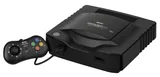
Identify the CD console before selecting parts, video wiring or an SD loading solution. Record menu behavior, an original disc loading through several scenes, controller response and existing saved data. Preserve a complete data-and-audio disc image before converting files for a particular loader.
Cartridge Neo Geo projects are useful family context, but their AES or MVS hardware instructions do not establish CD compatibility. The documented furrtek SD Loader supports the front-loader and top-loader; its compatibility list does not establish CDZ support. Check the actual product revision and instructions before planning an installation.
Setup and identification
Drive and modifications
- Optical-drive triage and SD Loader planning
- Existing CD CSYNC modification
- SD Loader maker's documentation
- Revision F front-loader installation
Do not infer a laser fault from one disc or adjust the pickup without the actual mechanism's service evidence.
Saves, media and development
- Native saves, complete images and CD-target tests
- Existing CD-exclusive game article
- Existing homebrew list: verify each CD target
- NeoCD-Libretro source and documentation
Keep native progress separate from emulator states. Test disc music and later loading transitions, and state the BIOS and emulator build when reporting compatibility.