GlitchMod tutorials
Nintendo Classic Mini modding wiki
NES/Famicom and SNES/Super Famicom Classic Mini identification, hakchi project selection, game compatibility, save preservation, USB storage and recovery preparation.
Browse topics
Tutorials & referenceNintendo Classic Mini modding and preservation wiki
This directory covers Nintendo’s NES/Famicom and SNES/Super Famicom Classic Mini systems. Begin with the model label and a working stock menu, then choose a documented hakchi route. Guides cover project selection, library management, emulator limitations, save exports, USB connections and recovery preparation.
Start with a practical guide
- Nintendo Classic Mini: Identification and hakchi project selection
Identify authentic NES, Famicom, SNES and Super Famicom mini variants, establish stock behavior, and prepare a documented hakchi installation.
- Nintendo Classic Mini: Libraries, emulator compatibility and saves
Keep title identifiers and emulator modules with the library, preserve ordinary saves and suspend points, and verify migrations before deleting working entries.
- Nintendo Classic Mini: Recovery, USB connections and accessories
Isolate power and data-cable faults, retain original kernel backups, and distinguish hardware failures from library or module configuration.
Working record
Keep the exact hardware model, installed software, tested accessories and backup date together. Record the last working setup before a change and verify important saves after maintenance.
Identify the hardware and its existing state
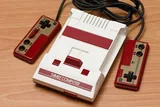
The Classic Mini products are miniature software-based systems, distinct from the original cartridge consoles. Record the regional model and whether the menu already contains a community launcher. Keep photographs of the label, connectors and current game list. A second-hand unit may have been modified with a different tool release from the one in a tutorial you find today.
Use Nintendo's product manuals for the stock console and Team Shinkansen's documentation for hakchi changes. Their purposes differ: stock suspend points and menu operation are manufacturer features, while added software and alternative emulators depend on the installed project. Keep the version of the manager, modules and console configuration in the same inventory.
Choose a manageable library
Start with a few homebrew titles and verify the complete experience: launch, controls, audio, ordinary saving and return to the menu. A successful title-screen boot is not a compatibility assessment. Record special mapper or enhancement-chip requirements when they matter, and keep the emulator choice alongside the game identifier.
Preserve original imported files and make conversions on copies. Stable identifiers help maintain the connection between a menu entry and its progress. Keep important saves outside the manager's only working directory, then verify an export with expendable progress before relying on it. A list of attractive covers is useful navigation but does not replace a backup.
Plan recovery while the unit still works
Keep the console-specific backup and installation log produced by the chosen tool. Verify the USB cable actually transfers data and record the computer setup that detects the console. Read uninstall and restore instructions before adding modules. When a guide assumes a clean stock installation, determine whether the existing state meets that assumption.
Test controllers and optional USB storage separately. Record hub, adapter and filesystem choices, then compare them with a minimal direct connection when a problem appears. Repeated disconnections deserve investigation before another write. A factory menu reset, removal of added games and restoration of the original software are different operations.
Contribute reproducible findings
A useful report names the exact Mini model, tool release, emulator, game version and failing step. Include error text and the last working configuration. Follow the guides in the order needed for your project, and return to identification whenever advice refers to a different model or regional product.
Sources and review
Reviewed October 11, 2026. The linked manufacturer and project documentation establishes supported behavior. The diagnosis checklists and preservation suggestions are original editorial guidance. Menus, services and project support can change; verify the linked instructions before an irreversible change.