GlitchMod tutorials
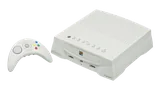
Apple / Bandai Pippin modding wiki
Apple/Bandai Pippin model and accessory identification, video and controller setup, disc-based boot environments, backup preservation, and original developer documentation.
Browse topics
Tutorials & referenceStart here
Study Apple/Bandai’s Macintosh-derived multimedia platform using original developer documentation. Identify the console, display and accessories first; preserve the complete disc environment and distinguish retail authentication from historical development configurations.
Begin by recording the exact unit, accessories and behavior before changing hardware or software. These guides distinguish preservation, emulation and real-hardware experimentation. A program working in an emulator does not establish that a physical console will accept the same image or replacement part.
Hardware and connections
Software and development
Documentation and compatibility
Keep original labels, manuals, media and packaging information with the machine. Scarce systems benefit from repeatable observations: model numbers, board photographs, tool versions, hashes and a clear description of what was tested. Preserve a working baseline so that a maintenance problem can be separated from a software or development problem. Electrical substitutions require a verified model-specific diagram; connector shape is not a pinout.
Sources and further reading
Source review: October 11, 2026. Historical documents describe their original configurations; project behavior should be checked against the release actually used.