GlitchMod tutorials
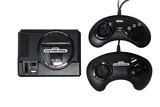
Sega Mega Drive / Genesis Mini modding wiki
Sega Mini model identification, first-generation modification support, original manuals, library and save preservation, controllers and recovery planning.
Browse topics
Tutorials & referenceSega Mega Drive / Genesis Mini modding and preservation wiki
A practical directory for Sega’s Mega Drive Mini and Genesis Mini families. It separates first-generation modification projects from Mini 2 stock behavior and keeps model identification, original game documentation, save preservation and accessory checks together.
Start with a practical guide
- Models and modification support
Identify first-generation Sega Mini hardware, separate it from Mini 2, and choose a documented modification project with an honest recovery plan.
- Library and save preservation
Keep Sega Mini games, emulator settings and save histories organized, with separate advice for stock Mini 2 and modified first-generation systems.
- Recovery and controller setup
Diagnose power, HDMI and input faults before writing firmware, and keep the original configuration needed for model-specific recovery.
Working record
Keep the exact hardware model, installed software, tested accessories and backup date together. Record the last working setup before a change and verify important saves after maintenance.
Generation is the first compatibility check
Record whether your console is a first-generation Mini or a Mini 2, along with its regional product name and underside label. Earlier licensed plug-and-play consoles and original cartridge hardware are separate targets. A familiar Sega logo and matching USB plug do not establish that a particular installer can operate on the device.
Check the current menu for modification branding before choosing a project. Retain the previous owner's supplied tool files and any recovery material, but verify their origin and model match. Establish a stock or known working baseline with a built-in game and a supplied controller. This gives later tests a useful point of comparison.
Read original project status
Hakchi2 CE and Project Lunar have documentation for first-generation modification work. ModMyClassic's current homepage describes paused development and provides archive pointers after its hosting failure. An archived tutorial remains useful historical documentation, but its age and assumptions belong in the maintenance record.
Require an explicit release statement before applying a community tool to Mini 2. The Sega stock documentation provides a route for using its built-in library and approved accessories. Do not interpret a project's support for one Mini generation as a general firmware-loading method for every later product.
Preserve the playing environment
Keep the game source, region, emulator and save method together. Read original game manuals for controls and the Mini's own instructions for retained sessions. A game's in-game save and a system snapshot have different meanings. Test both using unimportant progress before starting a long campaign.
For a modified library, retain the manager project, installed modules and exported saves. Keep recovery files away from folders you routinely clean. Record file conversions and leave the original image unchanged. If a state fails after an emulator update, the old version and backup should remain available for investigation.
Diagnose accessories before software writes
Test power, direct HDMI and one documented controller first. Add hubs, extensions and external storage individually, recording their model and port. Read the power specification for the exact console rather than borrowing an adapter because it worked on a previous generation. Follow the appropriate shutdown procedure before changing the connection arrangement.
A clear issue report distinguishes missing video, absent menu input and a crash in one added title. Record every test and change only what the next comparison requires. The three guides below connect identification to preservation and recovery without assuming that a modification is required for ordinary stock use.
Sources and review
Reviewed October 11, 2026. The linked manufacturer and project documentation establishes supported behavior. The diagnosis checklists and preservation suggestions are original editorial guidance. Menus, services and project support can change; verify the linked instructions before an irreversible change.