GlitchMod tutorials
Sega Pico modding wiki
Sega Pico hardware identification, pen and page input testing, Storyware preservation and original technical research.
Browse topics
Tutorials & referenceSega Pico
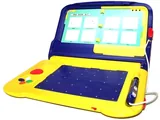
Identify the educational console, regional model and complete Storyware book before diagnosing it. Test video, sound, controls, pen movement, pen activation and page changes separately. A cartridge that boots can still be missing the printed artwork needed to use its activities.
This section concerns Sega's book-and-pen console. Preserve the physical book and input context alongside the program bytes, and match hardware research to the actual board revision. The available sources do not establish a universal modern Pico flash-cart solution or a complete service calibration procedure.
Setup and models
Input and hardware repair
- Pen, page and button troubleshooting
- Existing connector diagrams: check revision
- Existing capacitor article: match the board
- Original Pico board investigation
Existing hardware articles keep their Genesis collection locations. Avoid transferring a pinout or component value between visually similar models without board evidence.
Storyware and technical research
- Cartridge, page-art and reproducible research preservation
- PicoDrive project and Storyware instructions
- First-hand Pico input research
Record the emulator revision and controls when comparing activities. Mouse-based emulation helps investigate software behavior but does not verify the physical console's pen or page sensors.