GlitchMod tutorials
Game & Watch modding wiki
Vintage LCD Game & Watch care and the separate 2020/2021 modern systems: identification, firmware preservation, homebrew project selection and storage modifications.
Browse topics
Tutorials & referenceGame & Watch modding and preservation wiki
Vintage LCD Game & Watch care and the separate 2020/2021 modern systems: identification, firmware preservation, homebrew project selection and storage modifications.
Two hardware histories
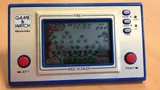
Original Game & Watch units use title-specific fixed-segment LCD assemblies. The 2020 Mario and 2021 Zelda systems use modern color-screen hardware with separate firmware projects. Select the right branch before choosing a battery, display procedure or homebrew guide. A shared product name is not a hardware compatibility statement.
Vintage preservation includes the case, artwork, screen films, model-specific manual and condition record. Emulating one of those games on a modern device preserves a different part of the experience. Keep those activities clearly described so readers do not expect a modern flashing tutorial to modify an original LCD unit.
Modern firmware and storage work
Begin with model-specific backups of the regions required by the selected project. Read the complete preservation and unlock sequence before any erase or protection change. Retain original files, sizes, checksums and the physical connection record. A firmware output built for Mario should not be substituted for a Zelda backup, and a layout for enlarged storage should not be used on an unchanged chip.
Choose a retro-go fork or stock-firmware patch based on its documented target and maintenance status. SD releases require the reader and bootloader they describe. Copying an update file alone does not install missing hardware. Keep save files, content and build versions together and test a small setup before adding a large library.
Hardware care first
For charging and battery faults, consult Nintendo's modern product information and the identification guide. A damaged charging connector, swollen battery or worn button needs hardware assessment; replacing firmware is not a substitute. For vintage units, use the exact model's battery specification and document corrosion before repair.
Use this directory
Choose a guide by the work you intend to do, then record the hardware model, installed software and existing condition. Preserve data before a reset, storage change or firmware write. Each guide links primary documentation and separates documented requirements from editorial checklists. Keep a known-good baseline, change one variable at a time and verify a restore where saved progress matters. When contributing, include the exact tested configuration and source revision so another reader can reproduce the result and understand its limits.
Sources and review
Reviewed October 11, 2026. The linked manufacturer and project documentation establishes supported behavior. The diagnosis checklists and preservation suggestions are original editorial guidance. Menus, services and project support can change; verify the linked instructions before an irreversible change.