 | The cable that connects to the 32X must not have the 5v pin connected! If it is, you can seriously damage the 32X, Genesis or both! |
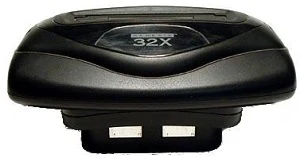
The 32X uses the same Mini-DIN 9 video output port as the Genesis Model 2, Genesis 3 and CDX. For RGB video output, simply use the same RGB cable used with a Genesis Model 2.
32X with Genesis Model 2 / CDX
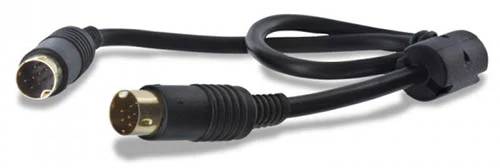
If you're using a CDX, Genesis 2, or any compatible Genesis console with a Genesis 2-style multi-out, you can attach the 32X with the standard male-to-male Genesis 2 patch cable that it originally came with. You can buy a replacement here if needed and if you decide to make your own, make sure to not connect the 5v pin in the cable!:
- Retro Access Genesis / Mega Drive Model 2 to 32X AV Link Fortraflex Patch Cable (USA Seller)
- Console5 Genesis / Mega Drive Model 2 to 32X AV Link Patch Cable (USA Seller)
- Retro Gaming Cables Genesis / Mega Drive Model 2 to 32X Patch Cable (UK Seller)
32X with Genesis Model 1
If you have a Genesis Model 1, it is a bit more complicated. Unlike other models of the Genesis, the Genesis 1 does not use the same type of cables as the 32X, and you may not want your 32X to be plugged in 100% of the time:
- Maybe you sometimes want to use the Power Base Converter.
- Maybe you'll sometimes play Virtua Racing (it's not compatible with the 32X).
- You may only want to plug the 32X in when you're actually playing 32X games.
Genesis 1 to Genesis 2 Adapter
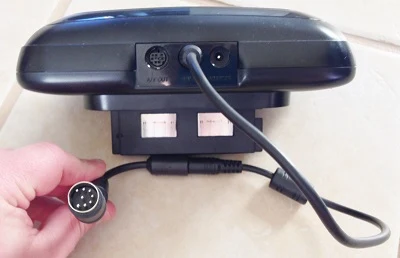
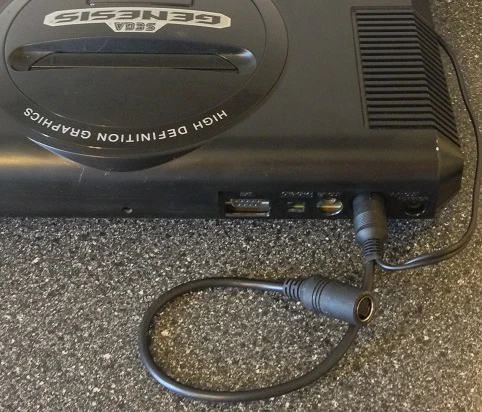
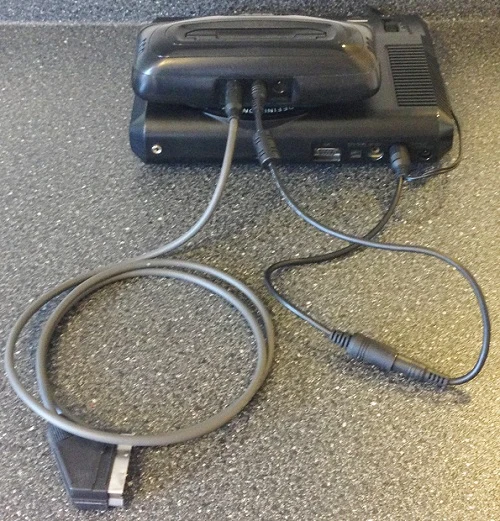
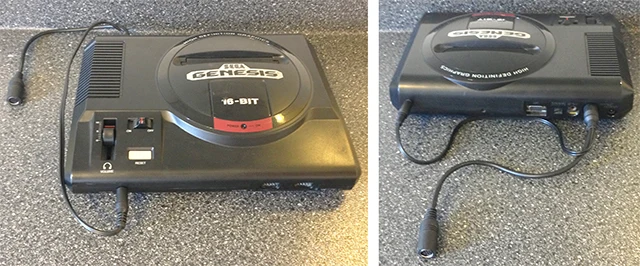
If you don't intend to have your 32X plugged in all the time, the easiest solution, is to get two patch cables: The standard 32X patch cable listed above and a Genesis 1 Male-to-Genesis 2 Female adapter. This cable essentially turns your Genesis 1 output into a Genesis 2 output, allowing you (in conjunction with the standard 32X patch cable) to use the same RGB cable for both. This will allow you to use the same RGB cable directly with the Genesis 1 as with the 32X. Below on the left is one with a 3.5mm audio cable that allows you to connect stereo audio and on the right is one styled like the original.
-
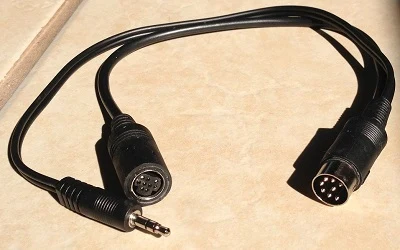 Gen 1 to Gen 2 Patch Cable with 3.5mm Audio cable
 -
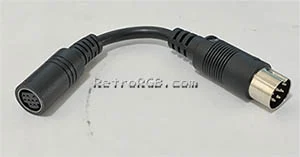 Gen 1 to Gen 2 Patch Cable
- Gen 1 to Gen 2 Patch Cable with 3.5mm Audio cable (US Seller)
- Gen 1 to Gen 2 Mono Cable (this can also allow the Sega Master System to be used with a Genesis 2 RGB cable)
- Gen 1 to Gen 2 Patch Cable with 3.5mm Audio cable (UK Seller, won't work with HD Retrovision or RAD2x)
Here's how it works:
Genesis 1 to 32X Patch Cable
Alternatively, you can just make or buy one cable that directly connects the Genesis 1 to the 32X (although if you make your own, do not connect the 5v pin!), but if you use one of these cables, you'll have to buy a second RGB cable for when you're only using the Genesis without the 32X.
- Retro Access Sega Genesis / Mega Drive Model 1 to 32X AV Link Fortraflex Cable Mono and Stereo Audio (USA Seller)
- Retro Gaming Cables Sega Genesis / Mega Drive Model 1 to 32X Stereo Audio Cable (UK Seller)
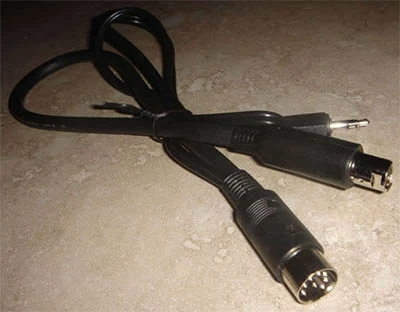
32X Patch Cable Wiring Issues (Technical Info)
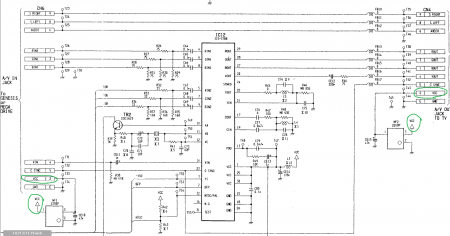
Here's an extremely important notice to people making their own 32X cables: The cable that connects to the 32X must not have the 5v pin connected! If it is, you can seriously damage the 32X, Genesis or both! This includes pretty much every type of 32x patch cable, except the ones the have the female inputs (since those require a second patch cable). Said differently:
- If the patch doesn't connect to the 32X (like the ones with the female Gen 2 port), connect all pins.
- Any 32X patch cable that does connect to the 32X must not have the 5v pin wired!
Ste from HDRetrovision offered more technical insight into this:
If you look at the schematics of the 32X, it looks like they purposely kept the Genesis +5V from the cartridge slot and the internally generated +5V separate. The most noticeable reason it seems is to add power sequencing to the design. The 32X +5V is unable to turn on unless the Genesis +5V is present, which is what you want.
On the 32X PCB, the A/V output port (to the TV) uses the internal 32X +5V to supply that pin. You would think that the A/V input port would connect the +5V pin to the Genesis cartridge +5V, but it does not. It also connects that pin to the 32X's +5V. Therefore if you connect a patch cord containing the +5V Genesis pin, it will short to the 32X's +5V rail and possibly cause power sequencing issues or other issues messing with the 32X's voltage regulator by back-feeding it from the opposite direction. Below is a screengrab of the schematics that shows this more clearly. VCC is the 32X internal +5V rail. Avoid those 2220P things as they are just EMI filters so you can consider them shorts.
Composite Video provides a color subcarrier reference signal and must be provided over the AV Link cable for genlock between the Genesis and 32X. Without it, the 32X free runs its encoder, which can lead to phase misalignment and artifacts such as dot crawl.
Summary
If you have use anything other then a Genesis 1, just use the standard 32X patch cable (remember, no 5v connection on those!) and a Genesis 2 RGB cable. If you have a Genesis 1, you should use the M-F patch cable that essentially turns your Gen 1 output into a Gen 2, then use the above two mentioned cables.