- English
- español
Fat (Retail)
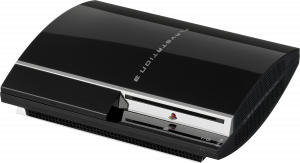
All of these models can install custom firmware!
If your console is currently on firmware 3.55 or lower, you can just install CFW like any other firmware.
If your console is running 3.56 or later, you'll need to use a method of patching your console for the ability to install custom firmware updates.
- It is recommended to use an internet-hosted exploit website, as they are more simplified and carry less risk of error. For instructions on using an internet-hosted website, please visit the Installing CFW page.
- Alternatively, you can use a hardware flasher to exploit your console. You can follow the E3 Flasher tutorial to exploit a NOR console. The Teensy tutorial and ProgSkeet tutorial allow you to exploit a NAND or NOR console.
- There are no benefits to using hardware flashers over PS3Xploit unless PS3Xploit is not available for your firmware, you cannot update to a compatible firmware, or your console has a corrupt flash (corrupt flash usually causes RSOD).
You also have the option to install PS3HEN to run game backups and some homebrew. It typically is not very useful on fat consoles, as all models can use CFW anyway.
Slim (Retail)
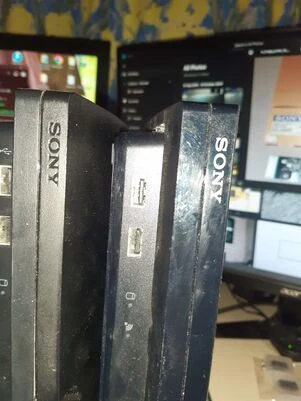
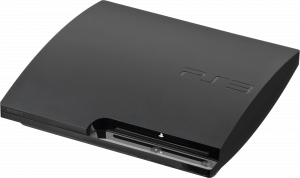
If your console is running firmware 3.55 or lower, you can just install CFW like any other firmware.
If your console is running 3.56 or later, you will need to check if your console can be flashed. Unlike the fat models, some PS3 Slims are too new for custom firmware support. You can only install CFW if the console has a minimum compatible firmware of 3.56 or lower. If you don't know what the console's minimum firmware is, you can check the back or bottom of the console for where it says "CECH-####", to find its model number.
If your model number is CECH-20XX or CECH-21XX, it is always compatible with CFW.
However, if your model number is CECH-25XX, you will have to use BGToolSet or MinVerChk to check if it's compatible. Alternatively, if the manufacture date on the back/bottom is before April 2011, or the "Date Code" contains a 9, 0, or 1A, then the console is guaranteed to be compatible. The manufacturing date doesn't need to be checked on a 20XX or 21XX, as each one will be made before 2011 anyway.
If the model number is 30XX, it is impossible to install CFW through the traditional methods regardless of manufacture date. They can easily be identified due to the front Sony logo being embossed rather than printed.
- If your console is incompatible with CFW, you can use PS3HEN to run game backups and most modern homebrew. BadWDSD can also be used to regain CFW features on a 30XX or datecode 1B 25XX if you or someone you know has microsoldering experience.
- If your console is compatible with CFW, you can follow the PS3Xploit tutorial to install a CFW.
- Alternatively, you can use a hardware flasher to exploit your console. You can follow the E3 Flasher tutorial, Teensy tutorial, or the ProgSkeet tutorial to exploit a slim PS3.
- There are no benefits to using hardware flashers over PS3Xploit unless PS3Xploit is not available for your firmware, you cannot update to a compatible firmware, or your console has a corrupt flash (corrupt flash usually causes RSOD).
Super Slim (Retail)
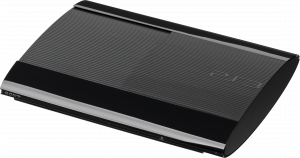
It is impossible to install CFW through a software update on Super Slims.
However, you can use PS3HEN to run game backups and most modern homebrew.
If you really want CFW on a Super Slim, and either you or someone you know has adequate microsoldering experience, you can install a modchip that allows for CFW on those consoles.
Debugging Station
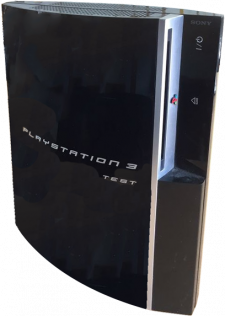
If your console is a DECH, TEST, QA, or any other model that runs official DEX firmware, you can directly use Rebug D-REX or Evilnat D-PEX, so long as your console has a minimum installable firmware of 3.56 or lower. You can use MinVerChk to verify your console's minimum firmware version. If it is CFW compatible, simply install the desired CFW like a normal USB update with the Updating your Firmware guide.
DECH-2500(A/J) consoles have the same rule as their retail CECH-25XX counterparts, and DECH-3000(A/J)/4000(A/J)/4200(A/J) consoles are always incompatible with traditional CFW, like their CECH counterparts. If your Debugging Station can't support traditional CFW, then you can use PS3HEN. Ensure that the firmware PUP's MD5 hash matches. Alternatively, if you or someone you know has adequate soldering experience, you can use BadWDSD to install CFW.
Reference Tool
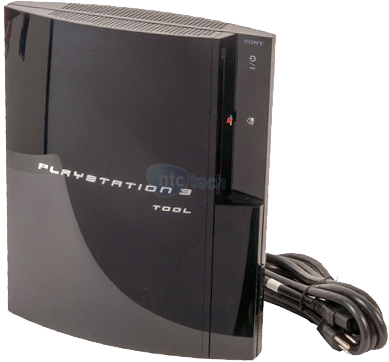
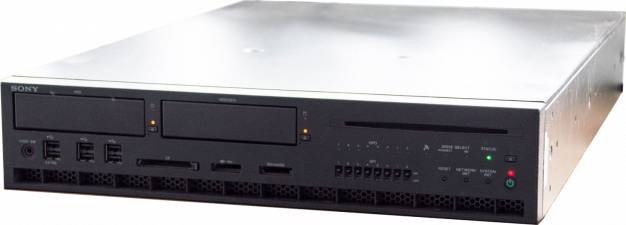
If your console is a DECR/TOOL model, you can directly update to Rebug DECR custom firmware. Ensure that the DECR PUP's MD5 hash matches 340C5705487904F92284F1A41B7D927D.