GlitchMod tutorials
Atari Jaguar CD modding wiki
Jaguar CD assembly, disc and audio use, Memory Track preservation, optical diagnosis, GameDrive alternatives and CD homebrew development.
Browse topics
Tutorials & referenceAtari Jaguar CD modding, repair and homebrew
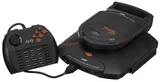
The Jaguar CD sits on the base Jaguar's cartridge connector and adds optical media, audio playback and CD game support. Start with a working base console, verify each supply from its exact label and preserve any Memory Track data before repair. Physical drives, GameDrive CD emulation and computer emulation have different compatibility and storage behavior.
Source review: October 11, 2026. Guides are original source-linked writing. Original manuals may describe a specific regional model or production revision; modern project documentation may change. Match the exact board, peripheral and firmware before following a procedure.
Begin with identification and setup, then make a preservation plan. A working startup screen is only a first test: disc reading, graphics, sound, controller modes and saving each deserve a separate check. Troubleshooting guides explain how to record a reproducible symptom before choosing an internal repair.
General information and setup
- Atari Jaguar CD identification and buying checklist — Evaluate the CD add-on, base Jaguar, power adapters, Memory Track, disc tests and repair evidence before buying.
- Atari Jaguar CD attachment, power and first-use setup — Attach the add-on with power removed, verify its separate supply and test cartridge, disc and audio operation in stages.
Storage and software compatibility
- Atari Jaguar CD Memory Track and save preservation — Identify supported Memory Track saves, preserve data before repairs and distinguish physical storage from GameDrive save files.
- Atari Jaguar CD discs, audio playback and GameDrive compatibility — Separate original Jaguar CD software, cartridge pass-through, audio/CD+G playback, disc images and current GameDrive emulation limits.
Repairs and homebrew
- Atari Jaguar CD optical, boot and audio repair triage — Separate base Jaguar faults, cartridge connectors, lid/spindle behavior, optical reading and output problems before repair.
- Atari Jaguar CD homebrew tools and development — Build Jaguar samples, distinguish cartridge and CD output, use Atari CD references and publish repeatable hardware tests.
Original references and related guides
- Original Atari CD user guide, German scan
- Original Atari Memory Track instructions
- Jaguar GameDrive
- GameDrive CD compatibility
- Jaguar video output notes
- Jaguar model differences
Use legally obtained software and BIOS files with tools that require them. A flash cartridge or emulator's feature list does not establish support for every add-on combination. Board-specific soldering, power wiring, storage conversions and optical adjustments require documentation that matches the actual hardware.