GlitchMod tutorials
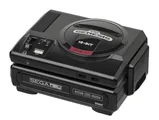
Sega CD / Mega-CD modding wiki
Sega CD and Mega-CD setup, models, region matching, backup RAM, optical drive diagnosis, modern CD hardware replacements and homebrew development.
Browse topics
Tutorials & referenceSega CD / Mega-CD modding, repair and homebrew
Sega CD and Mega-CD use a compatible Genesis or Mega Drive as the base console. Start by identifying both units, matching their power supplies and regional software, then establish a working original-disc baseline. Integrated CDX and Multi-Mega variants require their own documentation. This directory expands the existing Genesis articles with complete setup, storage, media and testing workflows.
Source review: October 11, 2026. Guides are original source-linked writing. Original manuals may describe a specific regional model or production revision; modern project documentation may change. Match the exact board, peripheral and firmware before following a procedure.
Begin with identification and setup, then make a preservation plan. A working startup screen is only a first test: disc reading, graphics, sound, controller modes and saving each deserve a separate check. Troubleshooting guides explain how to record a reproducible symptom before choosing an internal repair.
General information and setup
- Sega CD and Mega-CD models and buying checklist — Identify the complete system, region, drive revision, missing accessories and evidence needed before buying a Sega CD or Mega-CD.
- Sega CD and Mega-CD power, assembly and audio setup — Assemble a supported base console and CD expansion with matched adapters, correct mounting parts and a documented audio route.
Storage and software compatibility
- Sega CD backup RAM, save cartridges and verified backups — Understand internal backup RAM, cartridge storage, modern per-game saves and a testable preservation workflow before resetting memory or repairing retention faults.
- Sega CD disc regions, audio tracks and CD hardware replacements — Separate official disc compatibility, display timing and BIOS matching from modern cartridge CD emulation and 32X CD requirements.
Repairs and homebrew
- Sega CD drive, boot, audio and video repair triage — Separate base-console faults, expansion connections, mechanical loading, disc reading and audio routing before selecting a revision-specific repair.
- Sega CD homebrew tools and development workflow — Build and test original Sega CD software with a dedicated CD framework, official hardware references and reproducible disc images.
Original references and related guides
- Original Sega CD II service supplement
- Original Sega CD developer manuals
- Model differences
- Belt replacement
- CD BIOS mod
- Technical documentation
Use legally obtained software and BIOS files with tools that require them. A flash cartridge or emulator's feature list does not establish support for every add-on combination. Board-specific soldering, power wiring, storage conversions and optical adjustments require documentation that matches the actual hardware.