The FXPak Pro (formerly known as the SD2SNES) is a Super Nintendo / Super Famicom flashcart that allows for playing games from an SD card. It's compatible with almost all titles from the SNES library, has instant load times and includes support for "MSU-1 audio" via its Cyclone V FPGA.
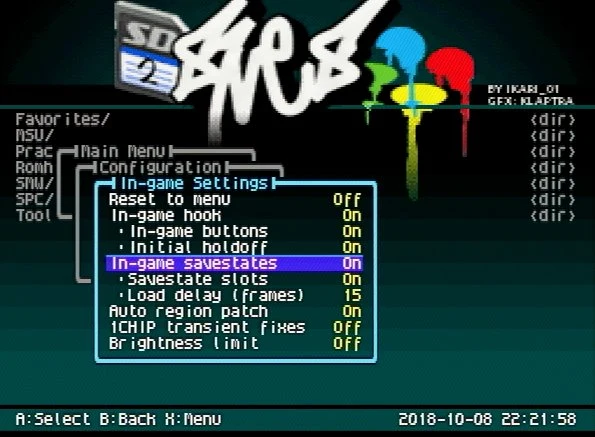
Compatibility
The FXPak Pro is the most compatible of all the SNES flashcarts currently on the market. In fact, it's actually easier to list the incompatible games, which is exactly what Ikari has done on his website: https://sd2snes.de/blog/compatibility
Firmware Download
The latest official Firmware can always be found here: https://sd2snes.de/blog/downloads
MSU-1 Audio
The FXPak Pro is compatible for titles with "MSU-1 Audio," which abbreviates to "Media Streaming Unit revision 1." It's a custom "enhancement chip" created by Near that allows for CD-quality audio on a SNES.
To put things into context: much like the Sega CD, while the gameplay remains the same, the music is played directly from the CD, allowing for high-quality audio instead of the console's built-in FM synthesis chip. Furthermore, the extra storage space of a CD enabled the inclusion for FMV playback, within the restraints of the Genesis' processing capabilities. This is effectively the same thing, but for the SNES, and only for patched ROMs that support this feature.
While no physical MSU-1 chip was ever created, the code was integrated into emulators such as bsnes, as well as the FXPak Pro, allowing full CD-quality audio through real SNES hardware.
You can get lots of MSU-1 patches for SNES ROMs at http://www.romhacking.net/. Alternatively, you can also check the Zeldix forums.
Audio Mod for OLD revisions (No FXPak's or SD2SNES "Pro's" have ever required this)
All revisions of the SD2SNES starting with "H" and later (and every version of the FXPak Pro) already have a great-sounding audio circuit. If you have Rev.H or newer, you can skip this section. If your version is older, there's actually a modification you can perform to improve the output. Please scroll down for more info.
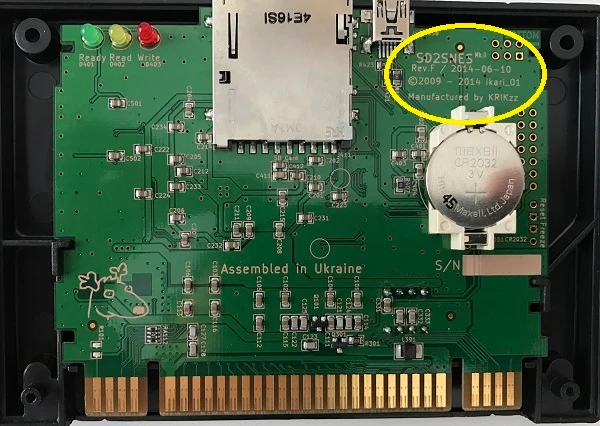
There are a few differences in the audio circuit of the SD2SNES revisions:
SD2SNES PCB Revisions A-F have slightly lower audio output. SD2SNES PCB Revision G was a quick fix for this, boosting MSU-1 audio to the correct levels but introducing some noise. SD2SNES PCB Revision H (and newer) adds an audio opamp forever fixing MSU-1 audio functionality.
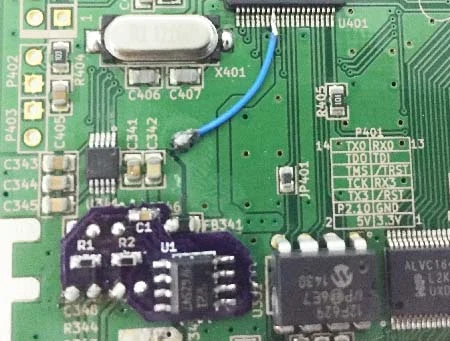
This mod replaces the passive filter between the DAC and the SNES' analog mixer with with the better circuit from the Rev. H (and newer) that includes a unity gain opamp in order to fix the impedance mismatch that caused muffled and quiet audio in older revisions. Basically, it's more of a "fix" then an "upgrade", meant to eliminate the need for boosted audio files (clipping), firmware audio boost in the menu (clipping), and the Rev. G 5V mod (distortion). This finally standardizes the correct MSU-1 audio levels between real hardware and emulators.
Borti4938 has actually created a PCB that allows for a slightly easier way to add the mod. You can order the boards and components from these links (with alternative links for the components):
- PCB: https://oshpark.com/shared\_projects/1ej3Nrdj
- Audio amp: x1 per board: DigiKey, Mouser
- 0.1uF 16V 0603 capacitor, x1 per board: DigiKey, Mouser
- 10 ohm 0603 resistors, x2 per board: DigiKey, Mouser
Installation instructions: GitHub
Also, Qwertymodo has a guide on his website that shows how to directly add the components on the PCB, without a PCB. While qwerttymodo himself actually recommends using Borti's solution, here's his page for reference.
Cheap Clones
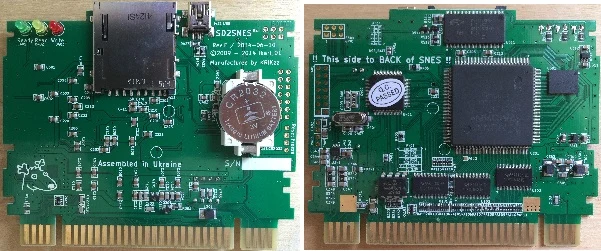
The SD2SNES is an open-source project and can be produced by anyone. That being said, there are a few low-quality clones out there with a plethora of problems ranging from glitchy use, to no MSU-1 audio, to the flashcart not working at all. It's strongly recommended to only purchase an FXPak Pro directly from KRIKzz or from a reputable reseller.
Keep in mind, that, there are clones that say "manufactured by KRIKzz" and "assembled in Ukraine," while in actuality this is not true.
Custom Menus
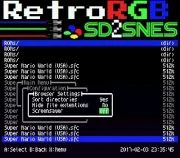
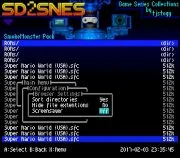
You can now customize the menu of the SD2SNES/FXPak Pro using the SD2SNES IMG tool. (old version up to firmware v1.10.3
SmokeMonster made a pack of SD2SNES themes, which can be downloaded here or from Archive.org.
Here's some examples:
Troubleshooting
Scrambled Screen Issue
Early models of the SD2SNES and FXPak Pro may present an issue where your screen becomes scrambled or glitchy as if sync is lost. This only affects the SHVC-CPU-01 boards and is not an issue with the cartridge, but rather an issue with your SNES having a weak clock signal and being susceptible to interference from the FXPak Pro's MSU-1 pins.
This issue can occur with regular cartridges, but it is more likely with the FXPak Pro.
Covering the left-most pin on the front and back of the cartridge with tape will physically disable MSU-1 and should temporarily fix the issue and confirms that you need to apply a fix to your SNES. Later FXPak Pro revisions add a 100ohm resistor to pin 1 of the cartridge followed by a 5.6uH inductor in series which further combats this issue.
See Scrambled Screen Issue for detailed symptoms and permanent solutions.
Freezing and Crashing
You may need to delete config.yml and firmware.img and upgrade the firmware of your FXPak if you have any of the following symptoms:
- Changing options in FXpak menu freezes the system (clock stops)
- Some games boot to a black screen (Donkey Kong Country 2) and some have corrupt graphics (intro of Donkey Kong Country 1). Note that some special chip games are incompatible, so ensure it is a compatible game first.
- Save states crash the console.