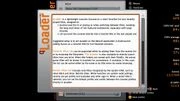
qLoader is a lightweight launcher focused on a short favorites list and recently played titles, designed to:
- Quickly load the UI at startup or when switching between titles, avoiding the long load times of full-featured dashboards, especially with large libraries
- Let you boot the console directly into a favorite title or the last played one.
Suggested setup is to set qLoader as the default application in DashLaunch, adding Aurora as a favorite title for full-featured sessions.
Features
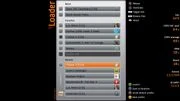
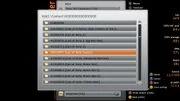
- Favorite titles list can be populated either by adding titles from the recents list or by browsing the filesystem. File browser is also available to directly launch titles from any drive. When title folders are named with their TitleIDs, the actual game titles will be shown in brackets for convenience, if available. In this case, the list can be sorted either by file name or by title name for easier browsing.
- Recent titles list includes only titles recognized by the system XAM, such as retail XBLA and Xbox 360/OG titles. While favorites are system-wide settings, recents are per profile and available only after sign-in. When a recent title is selected, you can set the default profile and switch between the console profiles directly in qLoader.
- Automatic launch of one title at boot can be enabled through the checkboxes available for favorite titles and the last played game. Checking the last played game will automatically set the current profile as the default, if not already set.
- Multidisc auto-swap is supported through a dedicated plugin. Nova and FreeStyle plugins are also supported for seamless integration with Aurora and FSD3. If one of these is already loaded into memory (e.g., when Aurora/FSD has been launched before qLoader), it will be preferred over the qLoader plugin.
- Title Updates are handled automatically, as long as the files are placed in a 000B0000 or 000CAC4E subfolder within the default TitleID path structure (e.g. Hdd1:\content\0000000000000000\[TitleID]\000CAC4E).
000CAC4E is a custom subdirectory where qLoader looks for TUs that need to be placed in the system cache folder. A Lua script for Aurora is available to dump all TUs into the described structure. To use the script, copy the TUdumper folder from the qLoader dist folder to [Aurora folder]\User\Scripts\Utility, launch it from Aurora, and follow the on-screen instructions.
qLoader will automatically use the most recent TU available (highest TU version) upon title launch. - Xbox Original titles launch with an active stealth server plugin is handled automatically to prevent potential console freezes typical for this scenario. If one of the "blacklisted" plugins is detected as active, the stealth plugin is temporarily disabled and re-enabled when the game is unloaded.
This behavior can be customized by modifying the OGpluginsblacklist setting in qLoader settings.ini, adding comma-separated plugin filenames (e.g., "Proto.xex"), or leaving the setting empty to disable the feature.