GlitchMod tutorials
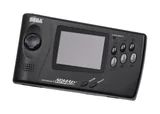
Sega Nomad modding wiki
Genesis Nomad setup, display and power upgrades, cartridge preservation and handheld-specific compatibility testing.
Browse topics
Tutorials & referenceSega Nomad
Start with a known Genesis cartridge, identified power accessory and tests of both the built-in display and external video. Record screen replacements and audio or SMS modifications before selecting a repair path. The internal LCD, cartridge support and television output each need a separate acceptance test.
Keep a stock handheld's capabilities distinct from those added by a documented project. Display kits can use different signals and retain different outputs. Battery assemblies need matching cells, charging electronics, protection and mechanical support; the original PowerBack instructions are not a charging recipe for a modern lithium conversion.
Setup, screen and power
Existing modification projects
These articles remain in the Genesis collection. Mega Nomad describes a custom conversion and should not be mistaken for a stock Nomad service procedure.
Preservation and development
- Native backups, flash-cart limits and SGDK tests
- Existing Genesis cartridge and save backup methods
- SGDK source and development documentation
Keep ROMs, native progress and save states identified separately. State the handheld configuration and flash-cart firmware in compatibility reports, and compare the same build on the internal screen and television.