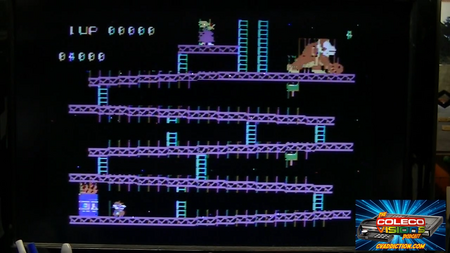
Credit to ArcadeUSA.
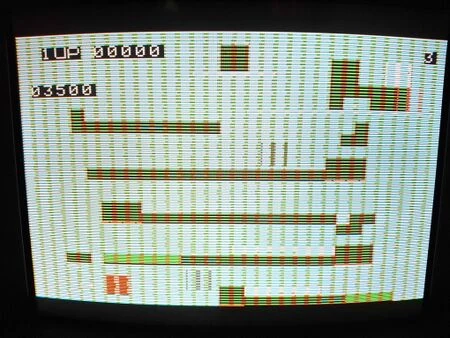
A common issue with the ColecoVision is that sprites appear to be corrupted either with lines on them, the wrong colors, or completely unrecognizable. There are multiple things that may cause this issue, but most of the time it is caused by a dirty power switch, especially if power-cycling the console a few times results in it fi.
Cartridge Pin Cleaning
One possible culprit, and the easiest to try fixing, is to clean the game cartridge and cartridge port pins. A guide for this can be found on the Cartridge Cleaning page.
Power Switch
Cleaning the Stock Switch
Most commonly, the power switch is dirty and needs cleaning.
- Remove the solder from the two large pins of the metal shielding over the power switch. The pins are large and will require high heat to get the solder to liquify. Note that they also have tabs sticking out of the pins, so they must be pushed outwards to release them.
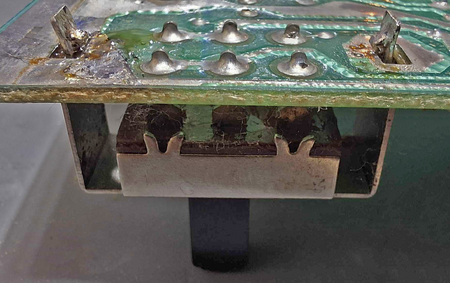
- Looking at the power switch from the edge of the motherboard, notice the two V-shaped metal tabs holding onto the brown plastic of the power switch. Use needle-nose pliers to squeeze the prongs of the metal tabs closed and the metal shield should be loose and come off. Be careful not to lose the two contacts that were in the metal shielding.
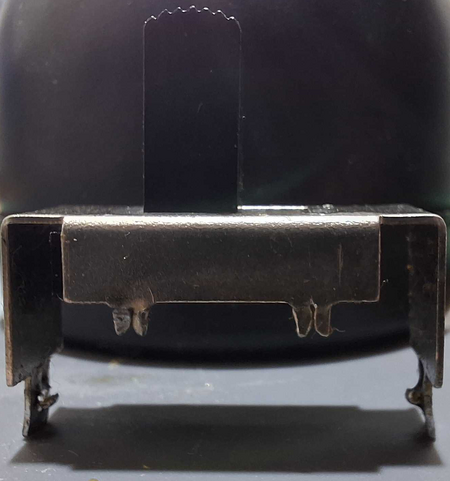
- Use isopropyl alcohol and cotton swabs to thoroughly clean the following parts of all corrosion and old grease:
- The two contacts that were in the metal shielding
- The black plastic switch
- The metal shielding
- The 6 large metal pads and the brown plastic on the motherboard
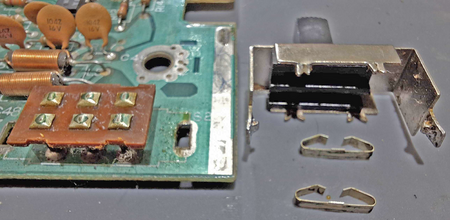
Corroded pads and contacts 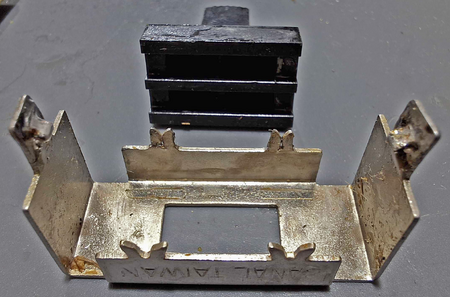
Metal shielding with grease 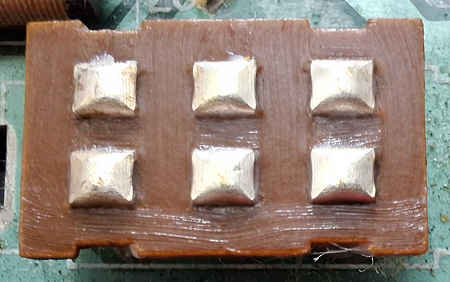
Clean pads
- Optionally, use metal contact cleaner, such as CRC Contact Cleaner or DeoxIT to thoroughly clean the metal pads and two contacts.
- Optionally apply a layer of dielectric grease to the 6 large metal pads and brown plastic as well as the top surface of the black switch. This will help prevent them from becoming dirty again in the future and allow a smoother actuation of the switch.
- Place the contacts back into the metal shield, place the shield back on the switch, and bend the V-shaped pins back open so that the metal switch stays in place.
Replacing the Stock Switch
You can replace the stock switch with a new one. A nicely fitting power-switch is the JWMW21RA2A from NKK Switches (DigiKey part number 360-1718-ND). A video guide on replacing this switch can be found on ArcadeUSA's YouTube channel.
Power Supply
The power supply may not be operating correctly. Check voltages and try replacing the capacitors if you suspect it.
Bad RAM
The stock RAM modules run hot due to using 12V power and can fail over time. You may consider the 5V VRAM Mod to replace them with reliable modules.
TMS9928 (VDP) Failure
Replace the TMS9928 with a new one or with a recreation (Pico9918 or F18A FPGA VDP VGA).