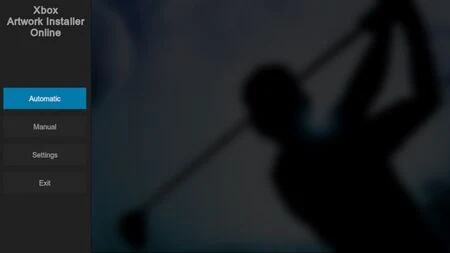
The Xbox Artwork Installer is a homebrew application for the original Xbox made by Rocky5, built on top of XBMC. It adds _resource folders to your game directories containing media files for your dashboard(s) to display. The art files are primarily intended for XBMC4Gamers and XBMC-Emustation, although LithiumX and Media X Menu (mXm) can make use of some of them as well.
To install the installer, first launch XBMC4Gamers or XBMC-Emustation and use the included URLDownloader script. For most users the Online version is recommended. If you want to set up multiple Xboxes with different but sizable game collections, then download the "full" version first, add any updates that are available, get the videos and high-res fanart if you want it, and then copy the whole lot to your PC so you can mirror it to all of your other consoles as needed.
Note that a full installation of the artwork installer requires gigabytes of space, but once you've used it to copy artwork into your game folders you can remove the installer itself from your console's HDD.
Usage
Before running the installer it's best to ensure that your other programs are set up on your Xbox's drive within the folders where it would expect to find them:
- Retail games should be placed into a
Gamesdirectory. Eg,E:\Games,F:\Games, orG:\Games. - Homebrew games should be placed into
HomebreworPorts. - Emulators should be placed into
Emulators. - Demo disc dumps (eg Official Xbox Magazine disc images) should be placed into
Demos. - Other utilities (including extra dashboards) should be placed into
AppsorApplications.
You can then simply run the installer, review the Settings screen, and then start the Automatic art installation process. Afterwards back in XBMC4Gamers, go to your game list, hit your white controller button => Edit or Refresh => Refresh all contents info. Further access your View Options and ensure that you have Resources Enabled.
In some cases you might find some titles will be missed in automatic mode, due to weird title IDs or folder names. Games with odd title IDs may even receive incorrect cover art - it's an issue with many two-in-one discs which make use of the CDX launcher, for eg. If you see a few holes or incorrect covers amongst your games, return to the artwork installer and try correcting those programs individually using the Manual installation mode.
Obtaining or making more art
The collection of art available through the installer is already extensive, but some games remain left out. You may be able to find or request more art from other users elsewhere, but you also have the option of creating your own.
- nikeymikey's custom artwork thread on the OGXbox forums
- Rocky5's Xbox Artwork Installer Artwork Builder (requires Photoshop)
- Bomb Bloke's Xbox Artwork Builder (requires Java)