| Note: BD-J exploit discs cannot be launched with out a Blu-ray license. Read on! |
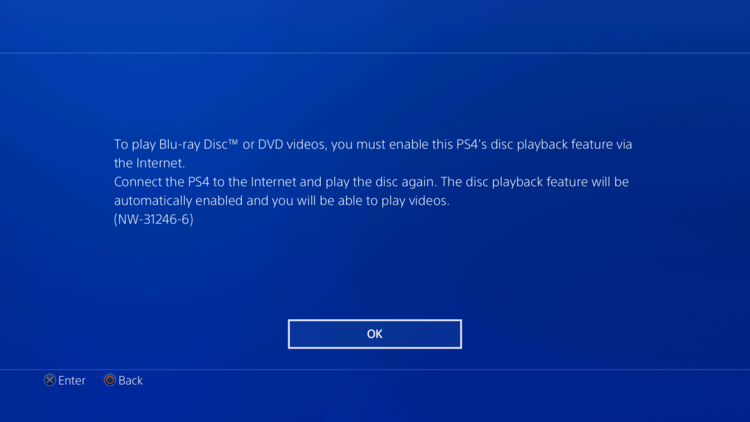
PlayStation 4 consoles are unable to play Blu-ray discs until they are granted a license to do so. Normally this is a seamless process that happens the first time a Blu-ray movie disc is played in the console and a license is automatically issued via internet over PSN. But what if you can't take your console online?
Enabling Blu-ray licensing offline
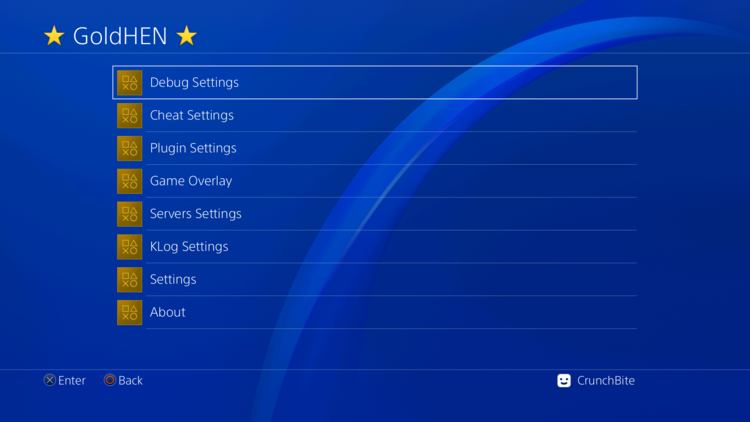
- Use one of the various exploit methods (except for BD-J) to enable HEN and load the GoldHEN payload. Version 2.4b18 will be used here.
- After GoldHEN has loaded, go to the GoldHEN menu and select Debug Settings
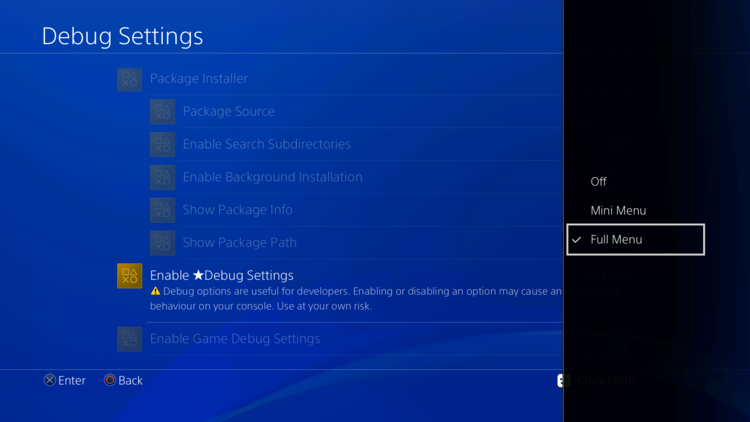
- Select Enable Debug Settings and choose Full Menu
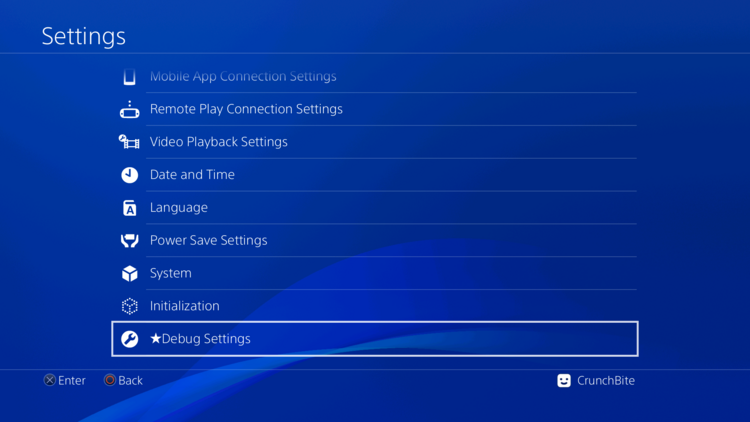
- Back out to the home screen then launch Settings
- Scroll all the way to the bottom and select Debug Settings
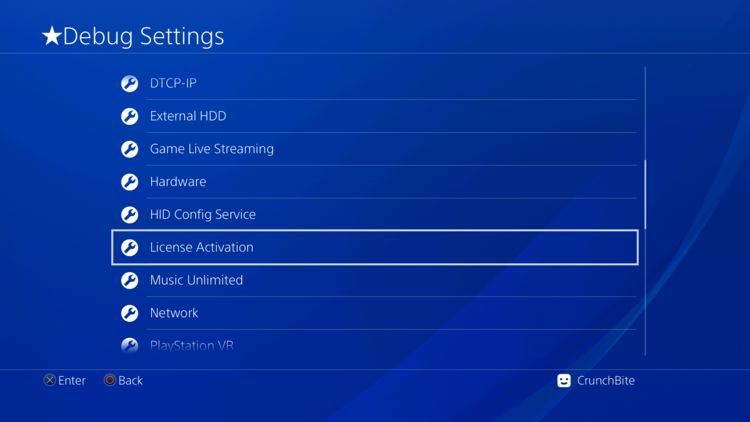
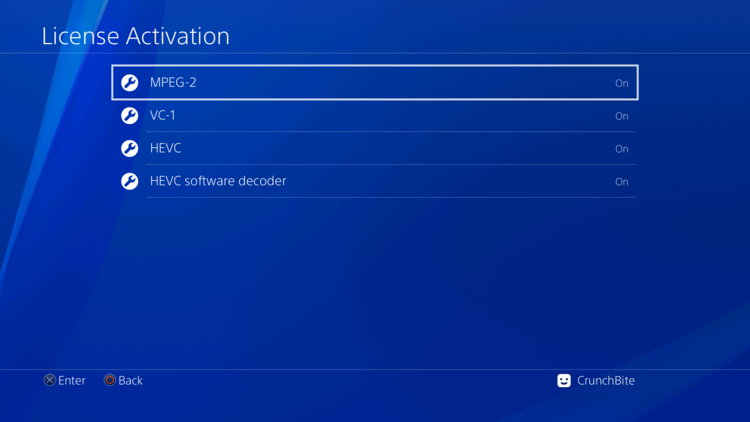
- Scroll down and select License Activation
- Select each license type and change them to On
- Back out to the home screen and try to play a Blu-Ray disc
- The Blu-ray disc should now play! These changes persist without HEN and BD-J exploit discs can now be used.